
Compare
Bunsho vs Highland: two Fountain apps, two different jobs
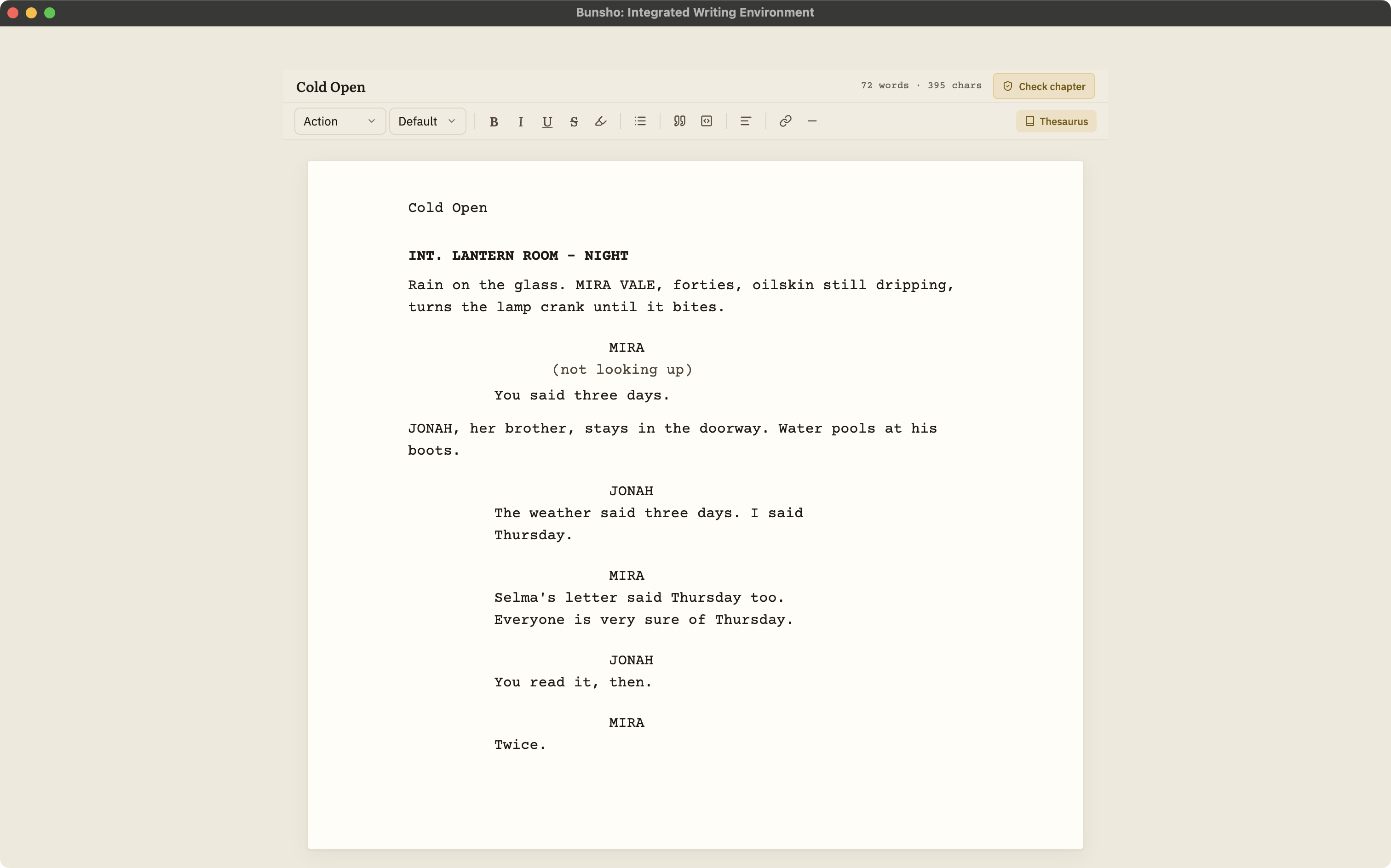
Highland and Bunsho share a belief: a screenplay should be a file you own, in Fountain, the plain-text screenplay format. From there they go different ways. Highland Pro is a polished Mac, iPad and iPhone writing app that turns Fountain into a delivery-ready script. Bunsho is a free Mac and Windows editor whose reason to exist is the continuity check. Because both speak Fountain, moving a script between them takes one export.
The short version
Choose Highland if you write on Apple devices and want a beautiful, focused Fountain app that also produces the PDF and .fdx you deliver. Choose Bunsho if you write on Windows, want a free editor, or want your script checked for contradictions in scene order, who is where, props and wardrobe, and who knows what when. Use both if you want both: Fountain moves between them without conversion.
Side by side
| Bunsho | Highland Pro | |
|---|---|---|
| Built for | Drafting a script and keeping its story consistent | Writing and formatting a script in plain text |
| Platforms | macOS, Windows | Mac, iPad, iPhone, synced over iCloud |
| Price | Editor free, no account. Quill $8, Storyteller $15, Saga $29 a month | $59.99 a year or $9.99 a month, after a 30-day trial |
| File format | Fountain import and export | Built on Fountain, stored in a .highland package with the plain-text script inside |
| PDF and .fdx | Neither | PDF export, and .fdx import and export, per Highland's knowledge base |
| Collaboration | None | Comments for writing partners; no live co-writing listed |
| Continuity checking | Scene by scene, on request, both passages cited, priced per scene with the cost shown first | Not a listed feature |
Highland facts are from quoteunquoteapps.com and the Highland knowledge base as of October 2026; some format details are documented for Highland 2, its predecessor. Check the vendor's site for current details.
Where Highland is stronger
Highland is a mature screenwriting app with a long history in Fountain, and it shows in the details: a focused writing experience across Mac, iPad and iPhone, PDF output ready to send, .fdx import and export for productions, and the ability to turn a screenplay PDF back into an editable script. Bunsho has none of those delivery features. It does not export PDF or .fdx, and it does not run on iPad or iPhone.
Where Bunsho is different
It checks the story, not just the page
When you ask, Bunsho reads your script scene by scene against what it has established and shows every contradiction with both passages quoted, so you can judge each one in seconds.
It is free to write in, on Windows too
The editor is a free download for macOS and Windows with no account. Writing, importing and exporting are never metered; you pay only for checks, on Storyteller or Saga, and the cost is shown before each one.
Your files stay plain
Scripts live as plain files in a folder you choose, and export to .fountain is always one click away.
Using both
Because both apps speak Fountain, the round trip is simple. Write in Highland, export or copy the Fountain text, import it into Bunsho, and run a check before a draft goes out. Fix what needs fixing in either app, then produce the PDF or .fdx in Highland. One caution: some Fountain extras, such as dual dialogue, notes, sections and synopses, have no screenplay element in Bunsho yet. They come in as plain action or are dropped, and Bunsho lists what changed when you import.
Keep reading
The industry-standard formatter and a continuity checker, and how to use both.
The Mac options compared, from Highland and Beat to Final Draft and Fade In.
The pillar guide: formats, collaboration, revisions, price, file ownership, and where Bunsho fits.
Ten apps side by side, each placed by what it is best for.
Screenplay continuity checking in detail: what it reads, what a finding looks like, what it costs.
Common questions
Can I move a script between Highland and Bunsho?
Yes. Both work in Fountain. Export or copy the Fountain text from Highland and import the .fountain file into Bunsho; export .fountain from Bunsho and open it in Highland. Dual dialogue, notes, sections and synopses do not survive the trip into Bunsho intact, and Bunsho tells you on import what changed.
Does Highland check continuity?
Continuity checking is not a listed Highland feature as of October 2026. Highland is a writing and formatting app. Bunsho checks a script scene by scene when you ask and cites both passages for every contradiction it finds.
Is Highland available on Windows?
No. As of October 2026 Highland Pro runs on Mac, iPad and iPhone only. Bunsho runs on macOS and Windows. Windows writers who want a Fountain workflow can draft and check in Bunsho and format in a Windows formatter such as Fade In or WriterDuet.
Can Bunsho export a PDF like Highland?
No. Bunsho exports Fountain only. Open the exported file in Highland, or another formatter such as Fade In, WriterDuet or Beat, to produce the PDF.
Which costs less?
Bunsho's editor is free with no account, and Fountain import and export are free on every plan; continuity checks need Storyteller ($15 a month) or Saga ($29 a month) and are priced per scene. Highland Pro is $59.99 a year or $9.99 a month after a 30-day trial.
Write in Fountain. Check it in Bunsho.
Bunsho is free to download for macOS and Windows with no account. Fountain in and out on every plan.