
Free screenwriting software
Free screenwriting software in 2026: what each free tier actually gives you
You can write a professional screenplay without paying anything. The free options split into three kinds: open-source apps that are free with no limits, browser apps with a free tier capped by project count, and paid apps with a free demo or trial. Each has a catch worth knowing before you put a whole draft into it. Bunsho's editor is free too, with its own catch: it exports Fountain, not PDF.
The short answer
If you want a complete desktop screenwriting app with no limits and no watermark, the free choices as of October 2026 are Starc's free tier (macOS, Windows, Linux, iOS and Android), Trelby (Windows and Linux, lightly maintained), and Beat (macOS). All three export PDF. If you want to write in a browser and do not mind a project cap, WriterDuet, Arc Studio and Celtx all have free plans. If you want a check on whether your story holds together, Bunsho's editor is free and its continuity checks are a paid add-on you start yourself.
Free options compared
| What is free | The catch | |
|---|---|---|
| Starc | Free-forever tier, unlimited projects, on macOS, Windows, Linux, iOS and Android; .fdx, Fountain and PDF | Sync, collaboration and some tools need a paid Pro or Creator plan |
| Trelby | Free and open source; .fdx, Fountain and PDF | Lightly maintained, most recent release late 2025; Windows and Linux first |
| Beat | Free and open source on macOS; Fountain-native; .fdx and PDF export | macOS only on the desktop; the iOS app is paid |
| WriterDuet | Free plan with 3 projects; .fdx, Fountain and PDF | Browser only; collaborators are read-only |
| Arc Studio | Free plan with 2 scripts; Fountain and .fdx export | PDF is watermarked; browser only; no inviting collaborators |
| Celtx | Free plan with 1 seat and 1 project | One project; production tools are on paid plans |
| Fade In | Free demo with every feature except online collaboration | Printed and PDF output is watermarked until you buy the $79.95 licence |
| Bunsho | Free editor with 1 project, no account; screenplay mode; Fountain import and export | No PDF or .fdx export; continuity checks need Storyteller or Saga; Quill ($8) for unlimited projects |
Free tiers as described on each vendor's site as of October 2026. Free plans change; confirm before you commit a draft.
What Bunsho gives you for free
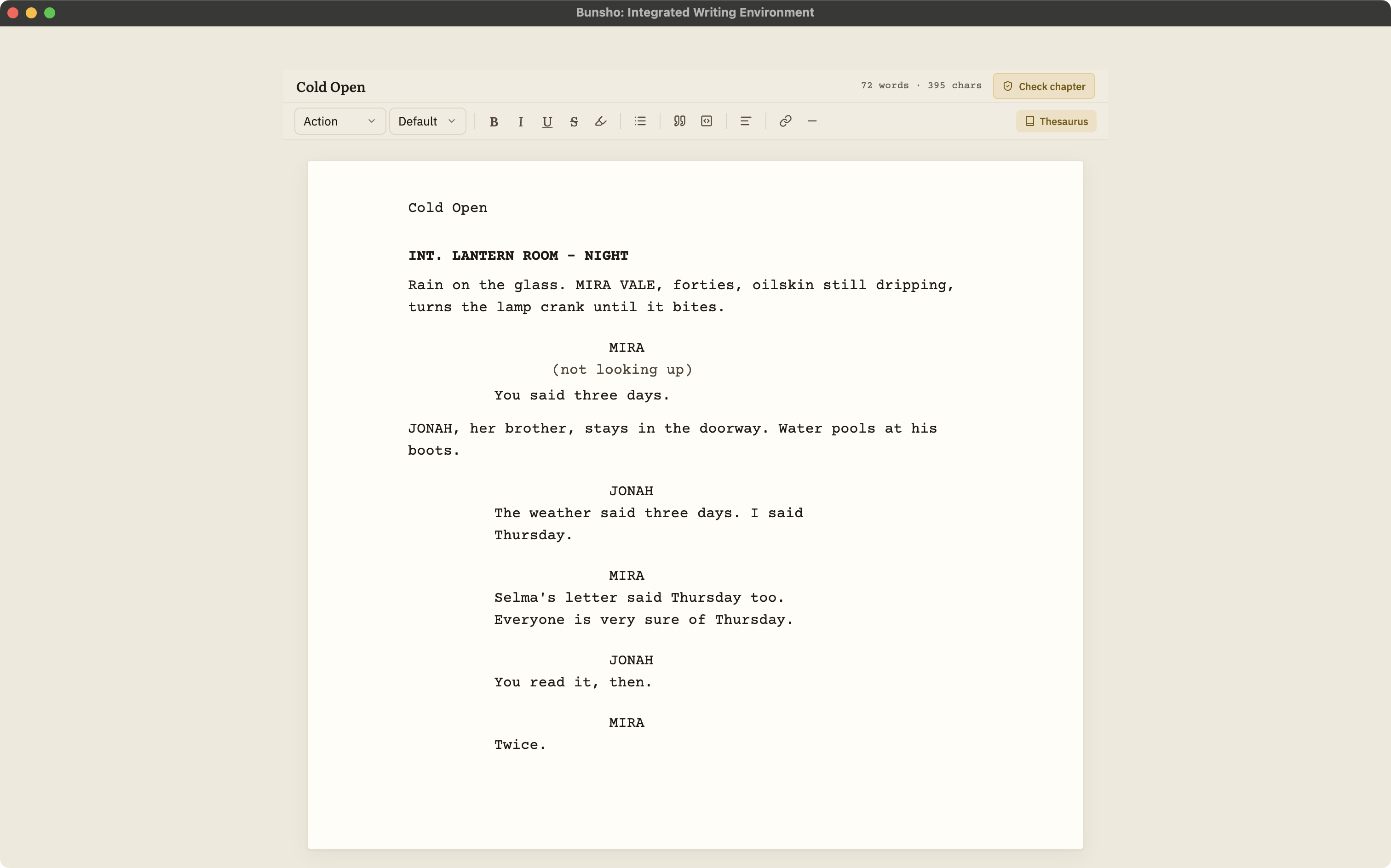
Bunsho is a free download for macOS and Windows and needs no account to write. The Free plan includes one project, so one screenplay at a time, with the full screenplay editor. Here is what that editor does.
The six standard elements, formatted as you type
Slugline, action, character, parenthetical, dialogue and transition, with an element picker, ghost hints that show what each line expects, Tab and Enter cycling, and autocomplete for sluglines and character names.
Fountain import and export
Open a .fountain script as a project and export back to .fountain, title page included, whenever you like. Neither direction is ever metered.
Continuity checking for scripts, when you ask
Bunsho checks your script scene by scene against what it has established: sluglines and scene order, who is in each scene, props and wardrobe, and what a character can know when. Every finding cites both passages. Checks are priced per scene, the cost is shown before each one, and they are live on Storyteller and Saga.
Your files, on your disk
Scripts live as plain files in a folder you choose. The editor works with no account and no connection. Your manuscript lives on your machine, not on our servers. Pages are sent for analysis only when you run a check, and they're never stored or used for training.
What Bunsho does not give you, free or paid
Bunsho is not a complete free formatter, and it would be unfair to let you find that out on deadline. Pair it with one of the free apps above for the delivery file.
No PDF export
Produce the submission PDF in a formatter: Highland, Fade In, WriterDuet, Beat, Starc and others all open Fountain.
No Final Draft .fdx
Bunsho reads and writes Fountain only. Convert .fdx in an app that reads both.
No real-time collaboration
Bunsho is a single-writer desktop app.
No production tools
No revision colors, locked pages, breakdowns or scheduling, and no dual dialogue.
A free workflow that covers everything
The cheapest complete setup in 2026 costs nothing to write in. Draft in Bunsho or in any Fountain app. When a draft is ready and you want it checked, run a continuity check on Storyteller or Saga, where the price per scene is shown before anything runs. Then export .fountain and open it in Starc, Beat or Trelby to produce a clean PDF without a watermark. If you only want free tools, skip the check and you still have a free editor that keeps your script as plain files you own.
Writing is never metered in Bunsho on any plan. Credits only buy deliberate checks, and nothing runs on save or in the background.
Keep reading
The Mac options, from free Beat to Highland Pro and Final Draft.
The Windows options, from free Starc and Trelby to Fade In and Final Draft.
The full guide: formats, collaboration, revisions, price, file ownership, and where Bunsho fits.
Ten apps side by side, each placed by what it is best for.
Screenplay continuity checking in detail: what it reads, what a finding looks like, what it costs.
Common questions
What is the best free screenwriting software?
For an unlimited desktop app with PDF export, Starc's free tier is the most complete across platforms, Beat is the best free option on macOS, and Trelby is a minimal free choice on Windows and Linux. For browser writing with a project cap, WriterDuet's free plan is generous. Bunsho's editor is free if you want to check your script's continuity later, but it exports Fountain rather than PDF.
Is Bunsho really free?
The editor is. It is a free download for macOS and Windows, needs no account, and the Free plan includes one project with the full screenplay editor and Fountain import and export. Unlimited projects are on Quill at $8 a month, and continuity checks are on Storyteller ($15) and Saga ($29), priced per scene with the cost shown first.
Can I make a PDF of my script for free?
Yes, but not in Bunsho. Export .fountain from Bunsho and open it in a free app that exports PDF, such as Starc, Beat or Trelby. Fade In's demo and Arc Studio's free plan also export PDF, with a watermark.
Is there free screenwriting software with no watermark?
Yes. As of October 2026 Starc's free tier, Trelby and Beat export PDF without a watermark. Fade In's demo and Arc Studio's free plan watermark their PDFs. Bunsho does not export PDF at all.
Do free screenwriting apps support Final Draft files?
Several do. Starc, Trelby and Beat read and write .fdx, and WriterDuet's free plan imports and exports it. Bunsho does not; it works in Fountain only.
Does Bunsho charge for writing?
Never. Typing, saving, importing and exporting are never metered on any plan. You pay only for continuity checks you start yourself, and each one shows its price before it runs.
Write for free. Check when you choose.
Bunsho is free to download for macOS and Windows with no account. Writing is never metered.