
Compare
Bunsho vs Sudowrite: a Sudowrite alternative for writers who want their story kept straight
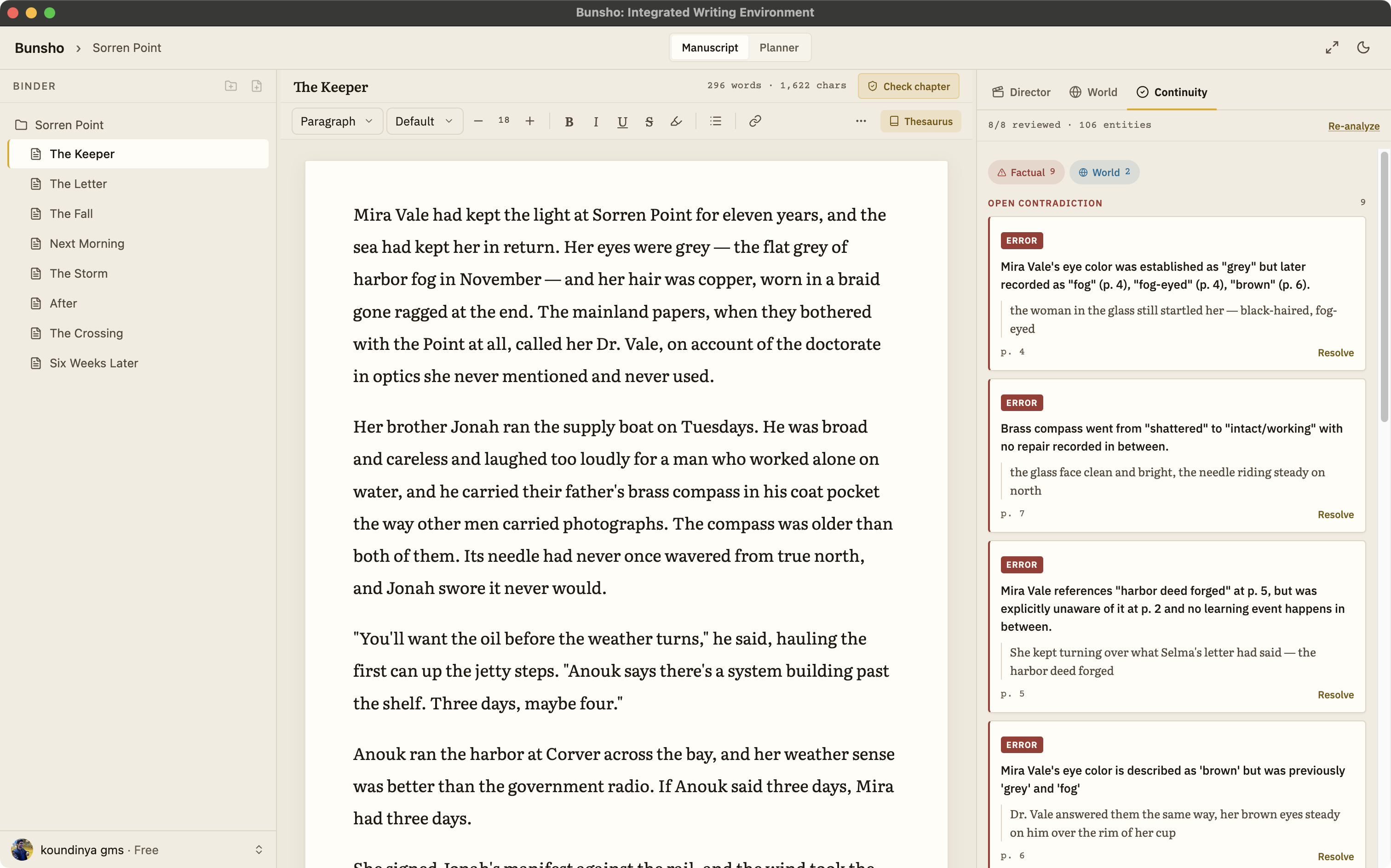
Sudowrite is built around generating prose: it writes, rewrites, expands, and brainstorms on request. Bunsho is built around keeping your story straight: it remembers what your manuscript has established, checks your chapters against it when you ask, and only drafts when you direct a scene.
The short version
These are different tools that happen to share the words AI and novel. Sudowrite generates prose on request; nothing in it reads your finished chapters back and tells you where they disagree. If you write your own prose and what you want is a manuscript editor that catches the contradictions, keeps the World up to date, and never pretends to be the author, that is exactly what Bunsho is for.
Side by side
Sudowrite facts below come from its public website as of August 2026 and are kept general on purpose. Check sudowrite.com for the current details.
| Bunsho | Sudowrite | |
|---|---|---|
| Built around | Keeping your story straight: a manuscript editor with a continuity checker and a World that fills itself from your prose | Generating prose: Write, Rewrite, Expand, Describe, Brainstorm, and a Story Bible you fill in |
| Who writes | You. AI drafts only when you direct a scene, from a beat sheet you approve, as suggestions you accept or discard | You and the AI. It is designed to write the next passage in your voice on request |
| Continuity | Checks chapters against what your story has established and cites both passages when they disagree | A Story Bible that generation draws on and a Feedback feature; no cited contradiction checker described on its site as of August 2026 |
| Where your manuscript lives | Your manuscript lives on your machine. Pages are sent only when you run a check | In the browser app at editor.sudowrite.com; see Sudowrite's own privacy terms for storage and data use |
| Platform | Desktop app for macOS and Windows, one subscription across platforms | Web app in the browser |
| Free tier | Free editor, no account, one project; World, Planner, and 10,000 starter AI credits with a free sign-in | Free trial, no credit card, then a paid plan |
| Pricing (August 2026) | Free $0, Quill $8, Storyteller $15, Saga $29 a month. Writing is never metered | From $10 a month with monthly credits spent on AI generation; higher tiers add more credits |
| Import and export | Import .docx, Markdown, .txt, Fountain. Export .docx, Markdown, Fountain. EPUB on the roadmap | See Sudowrite's site for current formats |
When to pick which
Pick Sudowrite if you want the AI to write
Its whole surface is generation: the next passage, a rewrite, a richer description, a brainstorm of names. If that is the help you want, it is a mature tool for it.
Pick Bunsho if you write and want a script supervisor
You draft. When you are ready, you ask for a check on a chapter, on everything that changed, or on the whole book, and each finding arrives with both passages cited. Nothing runs while you type.
Pick Bunsho if you want AI drafting that cannot break canon
Director Mode drafts from a beat sheet you approve first, checked against what your story has established, and one voice writes the scene. It will not invent plot, by design.
Pick Bunsho if the manuscript must stay on your machine
Your chapters are plain files in a folder you choose, and the editor needs no account. Your manuscript lives on your machine, not on our servers. Pages are sent for analysis only when you run a check, and they're never stored or used for training.
What Bunsho does not try to do
Bunsho will not continue your book for you, has no opinion on what should happen next, and does not brainstorm titles or generate character art. If those are the features you would use every day, Sudowrite serves them and Bunsho does not. What Bunsho offers instead is described on the continuity checker and Director Mode pages, and the local-first page explains what stays on your machine.
Common questions
Is Bunsho a replacement for Sudowrite?
It depends on what you want from the AI. If you want a tool that writes the next few hundred words, rewrites passages, and brainstorms on demand, Sudowrite is built for exactly that. If you want a manuscript editor that remembers what your story has established, checks chapters against it with both passages cited, and drafts only when you direct a scene, that is Bunsho.
Can Bunsho write prose for me like Sudowrite does?
Only when you direct it. In Director Mode you describe what happens in a scene, Bunsho drafts a beat sheet first and checks it against your story, and then one voice writes the scene as suggested blocks you accept or discard. It does not continue your text unprompted and it does not invent plot.
How does pricing compare?
Sudowrite is a subscription with monthly credits spent on AI generation, starting at $10 a month as of August 2026. Bunsho's editor is free and needs no account. AI features unlock with a free sign-in and 10,000 starter credits; Quill is $8 a month for unlimited projects with no AI, Storyteller is $15 with the continuity checker and a monthly allowance, and Saga is $29 with a higher limit. In Bunsho, writing itself is never metered.
Can I use both?
Yes. Some writers draft in Sudowrite and keep the manuscript in Bunsho. Bunsho imports .docx, Markdown, plain text, and Fountain, so you can bring a draft in and run a full review before sending it out.
Keep the story straight. Draft only when you say.
Bunsho is free to download for macOS and Windows. The editor needs no account.