
Set a word goal, keep a streak, get reminders
Set a daily goal, see today's words and your streak, and choose when Bunsho nudges you.
Updated October 15, 2026
Goals are on every plan, including Free and signed out. They only count your writing. They never cost credits.
Open the Goals page
- Click the button at the top right of the window. Before you set anything it says Set a goal. Later it shows your words today, like 412 of 1,000 words.
- Or press ⌘⇧G (Mac) or Ctrl+Shift+G (Windows).
- To go back to your chapter, click the back link at the top or press Esc.
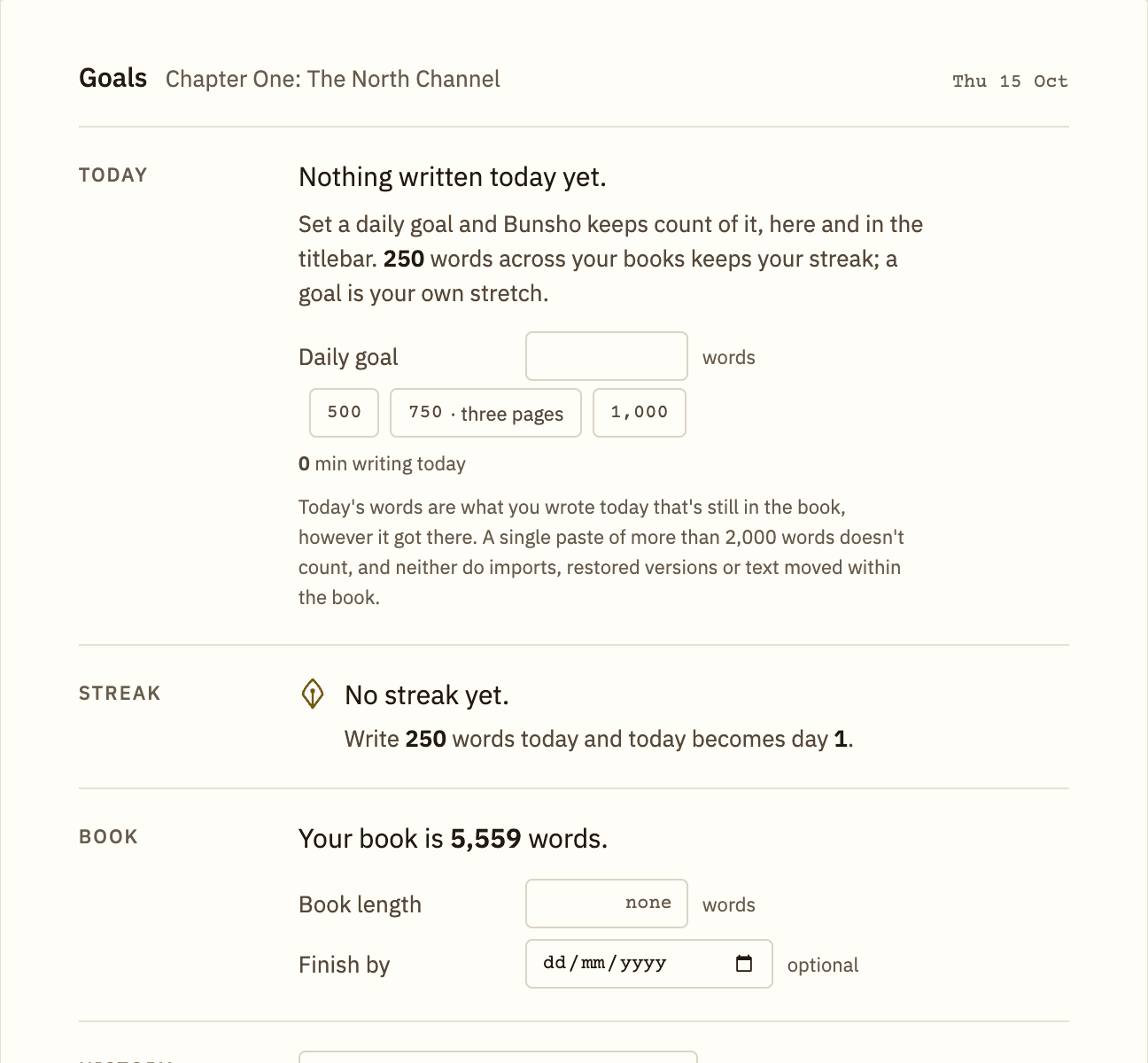
Set a daily goal
- On the Goals page, find Today.
- Type a number into Daily goal, or click one of the quick picks: 500, 750 · three pages or 1,000.
- Press Enter. The page now shows how far you have come, such as 412 of 1,000 words, and how many are to go.
- When you pass your goal, the page tells you the time you reached it.
What counts as today's words
Today's words are what you wrote today that is still in the book. If you write 600 and cut 200, today shows 400, and never less than zero.
- A single paste of more than 2,000 words does not count.
- Imports, restored versions and text moved within the book do not count.
Streaks
A writing day is a day you write at least 250 words, across all your books, whatever your goal is. Days in a row make a streak. The Streak section shows your current run and your best. Late in the day, if a streak is at risk, the goals button tells you how many more words keep it.
Book length and deadline
In Book, you can enter Book length (the word count you are aiming for) and an optional Finish by date. Bunsho then shows the pace you need and your recent pace.
History
History shows the days you wrote. Pick a book or All books, and switch between Month and Year. Use the arrows to step back through time.
Reminders
In Reminders there are two switches. You can also find them in Settings, named Writing reminder and Email reminders.
- On this computer: a notification at a time you choose, on a day that is not a writing day yet. If a streak is at stake, you get another at 10:00 pm. It never appears while you are writing, and it stays quiet once today is done.
- By email: at most one email a day. Either an evening note when your streak is about to end, or a nudge after the number of days without writing you pick under Days without writing, sent at the hour you pick under Send hour. You need to be signed in with a verified email address, and it starts on. The email carries your goal, streak and the last day you wrote. It never carries your writing.
Computer reminders can also start when you sign in to your computer, so they arrive even if Bunsho is closed. Look for the open at login option in the same section.
Related articles
Still stuck?
Write to us and tell us what you were trying to do. A person reads every message.
Email support@bunsho.io