
Try the sample story and take the tour
Open the built-in story, take the guided tour, and see what is switched off in it.
Updated October 15, 2026
Bunsho comes with a finished sample story called Nine Fathoms. It already has contradictions found in it, so you can see what a continuity check shows without importing anything. You do not need to sign in.
Open the sample
- On the start screen, click Explore a sample story. When you have no projects of your own yet, it is the first row.
- Or, from the menu bar, choose Help → Open Sample Story.
The sample does not use up your free project. You can open it any time, signed in or not.
Take the tour
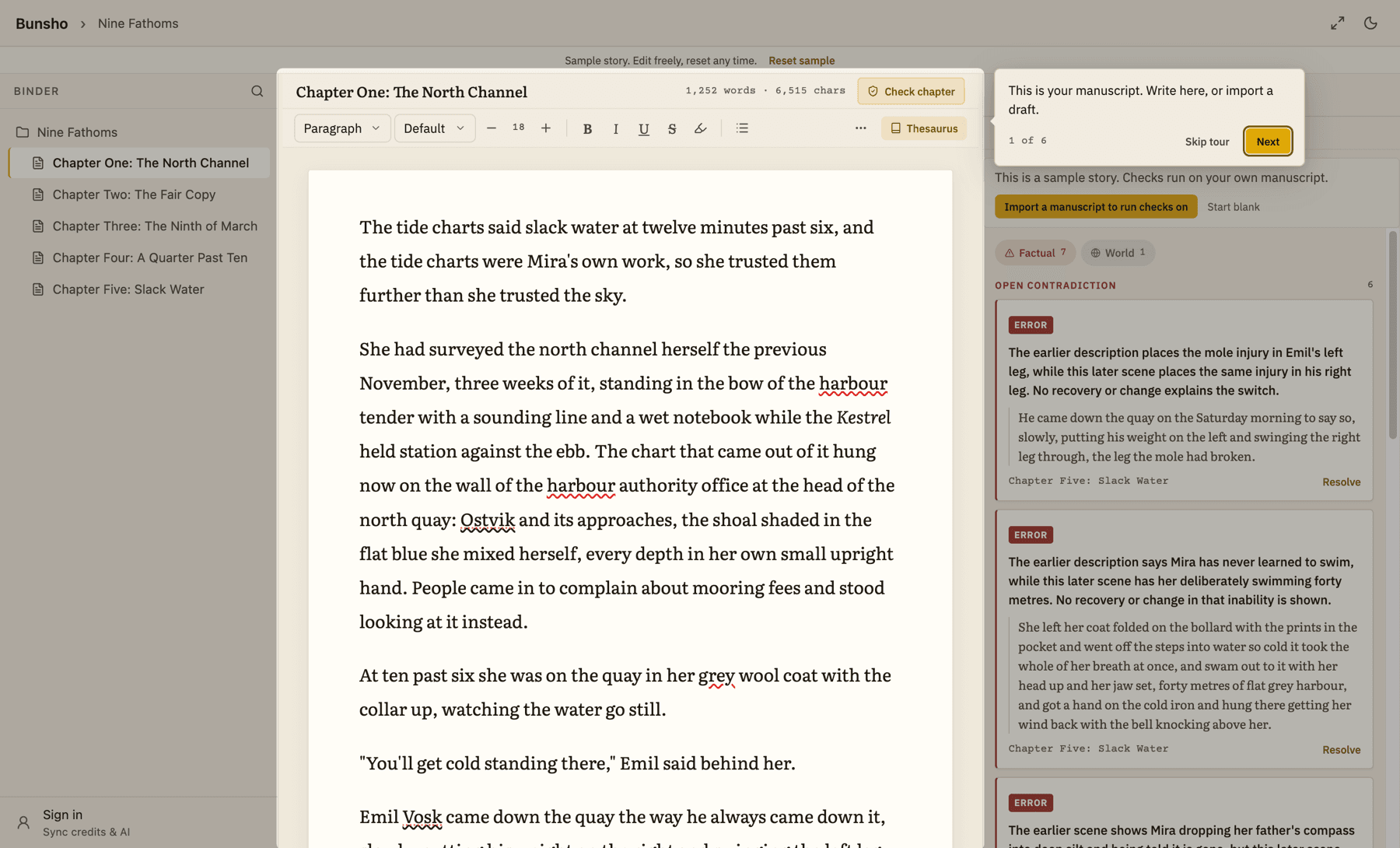
The tour is a short walk through six stops. Each one points at a part of the screen and says what it is for.
- Choose Help → Take the Tour. If the sample is not open, Bunsho opens it first.
- In one of your own projects you may also see a thin strip that says "New to Bunsho? See how it works on a sample story." Click Take the tour on it. Click Dismiss to hide the strip.
- Click Next to move on and Back to go back. Skip tour ends it at any time. The last step offers Done.
- The manuscript: where you write.
- Director: where you plan and write a scene. It runs on your own project, not the sample.
- World: the people, places and things Bunsho has recorded from the story.
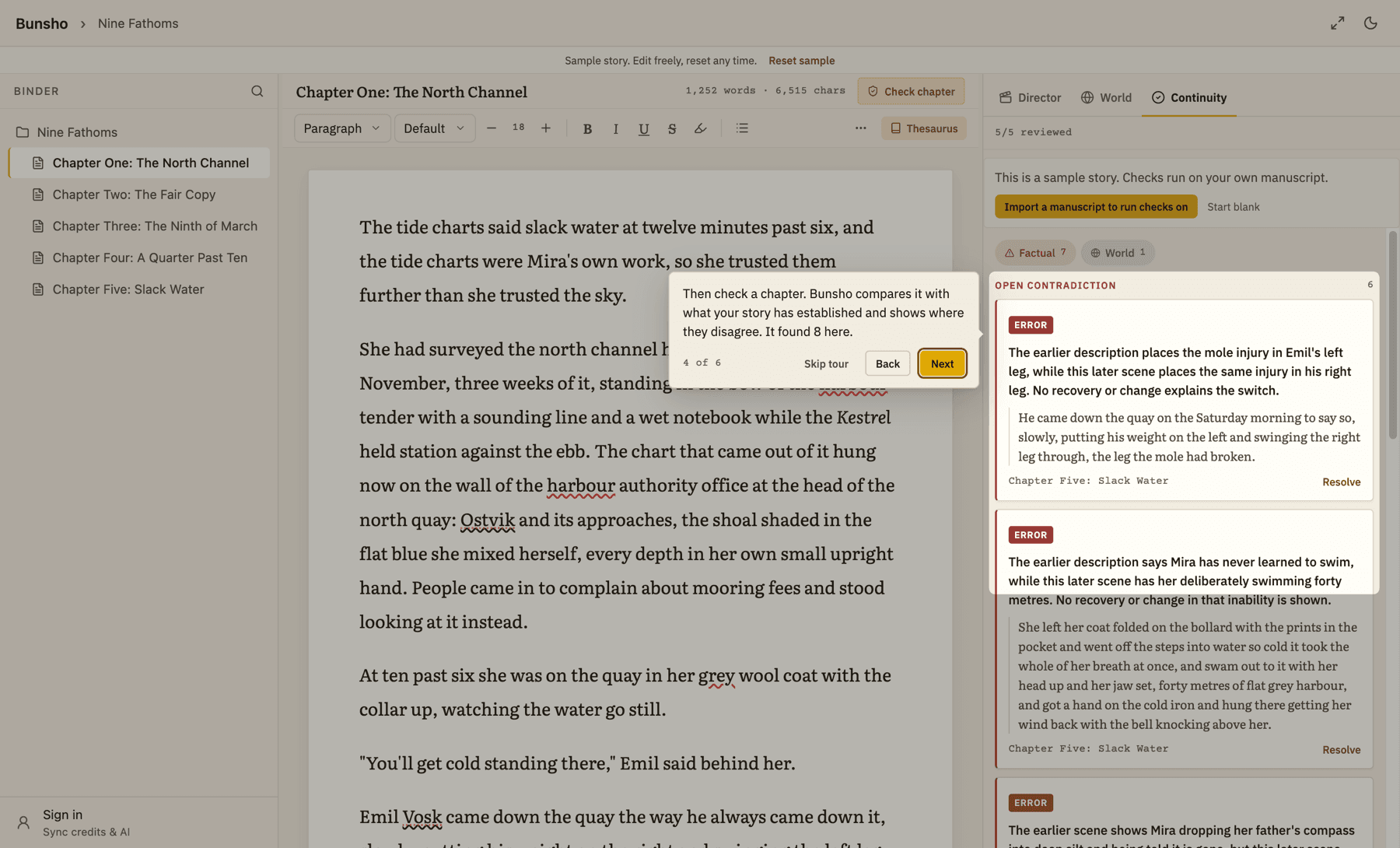
- Continuity: the list of contradictions found in a chapter.
- A finding: both passages side by side, so you can fix the text, mark it deliberate, or dismiss it.
- Your turn: how to leave the sample for your own book.
What you can and cannot do in the sample
You can edit the text of any chapter, open findings, and mark them resolved. A banner at the top reminds you: "Sample story. Edit freely, reset any time." To put the sample back as it was, click Reset sample and then Reset. Your edits and resolved findings in the sample are lost when you do.
A few things are switched off so the sample stays a sample:
- Checks do not run. Anything that would check the story shows: "This is a sample story. Checks run on your own manuscript."
- You cannot add, delete, rename or reorder chapters and folders, import into it, export it, or back it up. Bunsho says: "This is a sample story. Start your own project to do this."
- Edits in the sample are not re-checked.
When you are ready for your own book
In the sample, use Import a manuscript to run checks on or Start blank. If you already have a project, the button reads Back to followed by its name.
Related articles
Still stuck?
Write to us and tell us what you were trying to do. A person reads every message.
Email support@bunsho.io